Add Expense in seconds
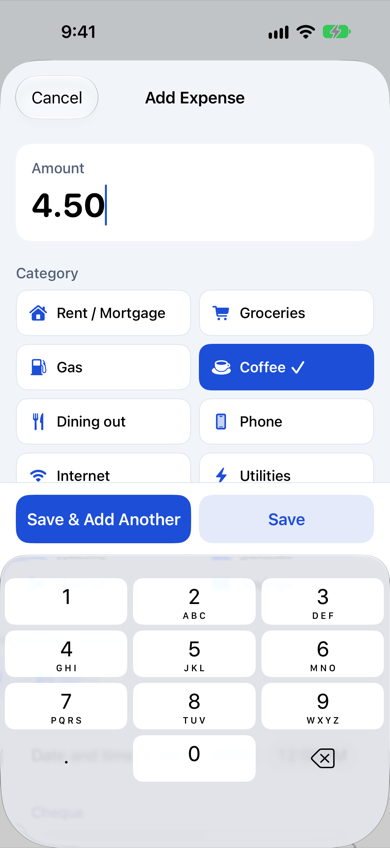
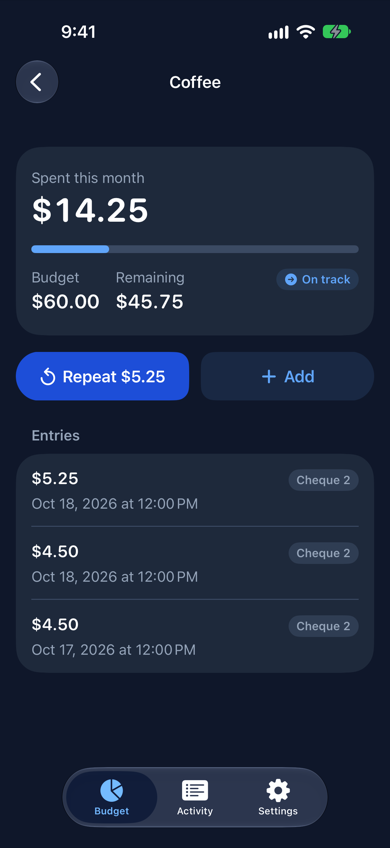
Pick a category chip, type the amount, done. Save & Add Another keeps the sheet open so three coffees in a day are three taps, not a calculator session. Recent amounts for the category are one tap away.
Budgeteer logs an expense in a single tap, keeps a running total for every category of your fixed monthly budget, and never shows your numbers to anyone but you.
A working slice of the app with example data. Nothing you enter leaves this page.
Keyboard works too: Tab to move, Enter or Space to activate, Esc to close the sheet.
 October 2026
$0.00
Tap to show
Spent this month
$0.00
Category
Recent amounts
Most budget apps give you one number per category. Budgeteer lets you log every single expense as it happens and does the adding for you.
Pick a category chip, type the amount, done. Save & Add Another keeps the sheet open so three coffees in a day are three taps, not a calculator session. Recent amounts for the category are one tap away.
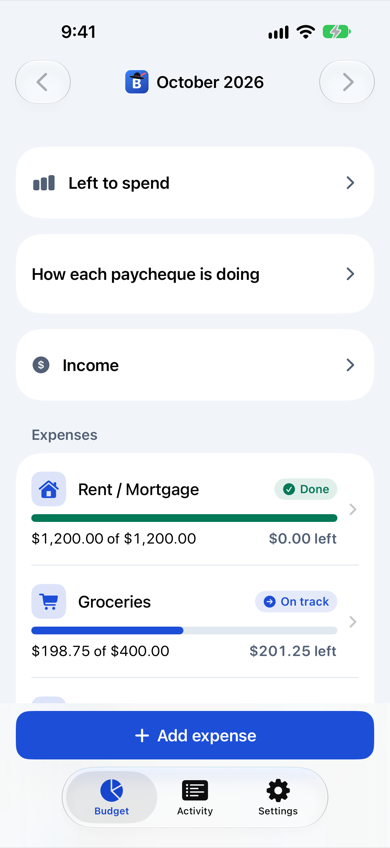
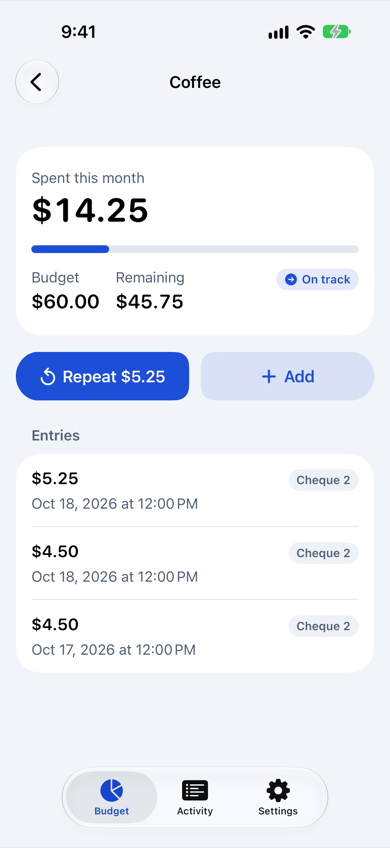
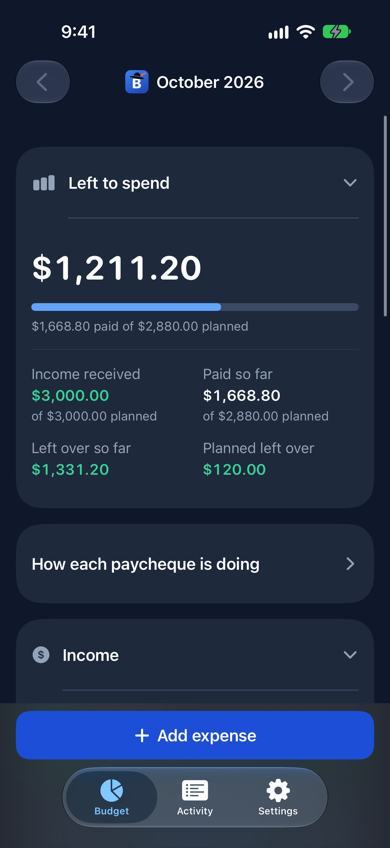
Every category shows what you have spent, what is left, and a status: Not started, On track, Done, or Over budget. Always with an icon and text, never color alone.
The Budget screen opens with totals and income collapsed. Tap to reveal, and it folds back up whenever you leave the app, so you can use it in front of anyone.
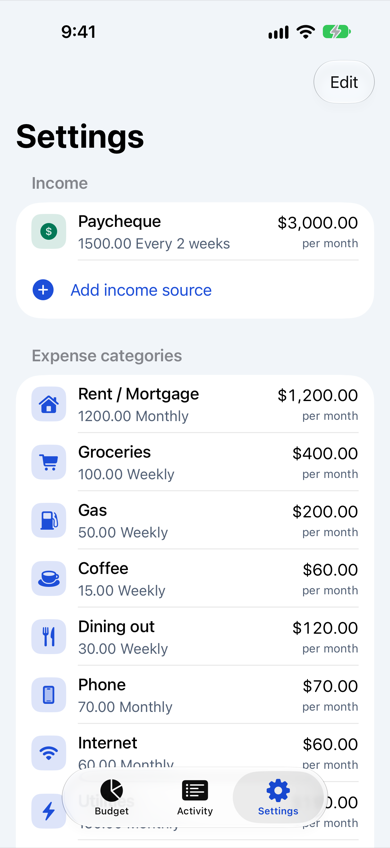
Each calendar month starts from your Settings defaults. Past months stay as history, and edits never rewrite them.
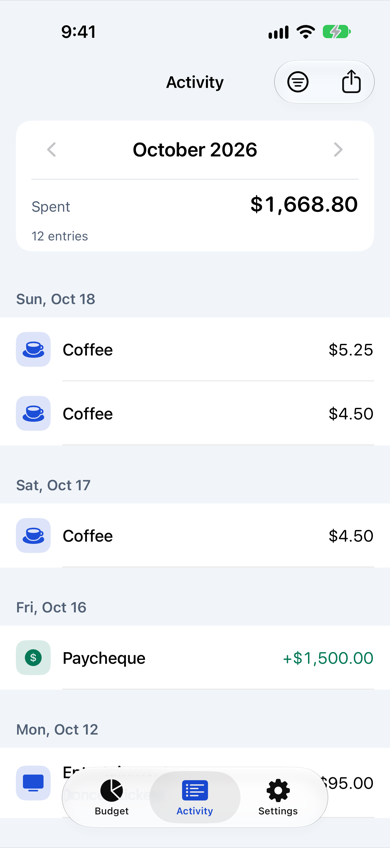
Every entry for the month grouped by day. Filter by category, swipe to delete, tap to edit, and export the month as CSV.
Edit every income source and category: name, icon, amount, and frequency (weekly, every 2 weeks, every 6 weeks, monthly). Reorder, add, delete, or restore the starter set.
Daily JSON backups land in Files on your iPhone (last 30 days), optionally mirrored to a folder you choose such as iCloud Drive. Restore any backup from Settings.
Native SF type with Dynamic Type, full light and dark mode, and every color pair checked for contrast.
Budgeteer has no account, no server, and no tracking. Everything lives in a file on your iPhone, included in your normal device backups.
Free. No account. Requires iOS 18 or later.
Download on theApp Store SoonApp Store listing coming shortly.